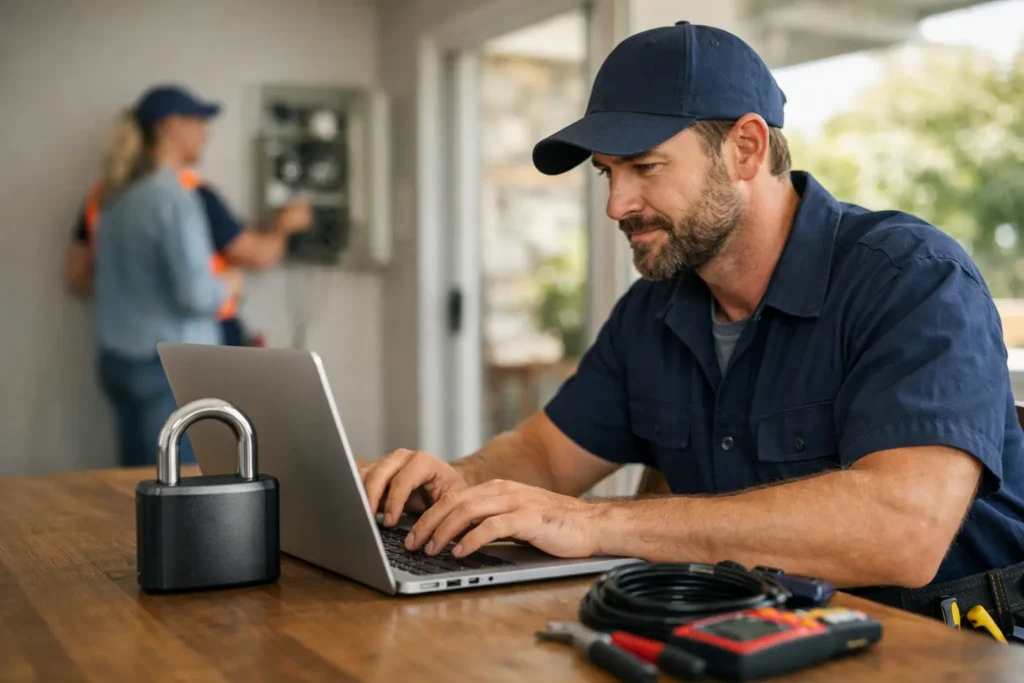
A hacked website usually doesn’t announce itself with flashing lights. More often, it shows up as missed enquiries, strange redirects, spam pages in Google, or a site that suddenly goes offline when a customer is ready to call. That’s why website security for small business matters more than most tradies realise. If your website brings in leads, it needs to be protected properly.
For a plumber, sparkie, builder or landscaper, your website isn’t just an online brochure. It’s part of how people decide whether to trust you, ring you, and book you. If it gets compromised, the damage goes beyond the website itself. You can lose leads, lose rankings, and lose confidence from customers who were ready to get in touch.
Why website security for small business affects enquiries
A lot of small business owners think security is only a problem for big companies or online stores. That’s not how it works. Smaller websites are often targeted because they’re easier to get into. If your site runs on outdated software, weak passwords or neglected plugins, it can become an easy target.
And when that happens, the impact is practical, not theoretical. Your contact form might stop working. Your site might start sending spam. Google might flag it as unsafe. A customer might click through, see a warning, and leave straight away. That’s a real enquiry gone.
For local service businesses, that matters because most website traffic has intent behind it. People searching for a tradie usually need help soon. They’re not browsing for fun. If your site looks dodgy or doesn’t load properly, they won’t wait around. They’ll call the next business.
The most common website security problems small businesses run into
Most security issues don’t come from anything dramatic. They usually come from neglect. A website gets built, the business gets busy, and nobody keeps an eye on the basics.
One of the biggest problems is outdated software. If your website uses a content management system, plugins or a theme, all of those need updates. Old versions can contain known security holes. Once those holes are public, bots can scan for them automatically.
Weak passwords are another common issue. Using the same password across email, website logins and hosting is asking for trouble. If one account gets exposed, the others can follow. That’s especially risky when multiple staff or contractors have access and nobody is sure who still logs in.
Poor hosting can also cause problems. Not all hosting is equal. Cheap, overloaded hosting can mean weaker security, slower performance and less support when something goes wrong. If your website is important to the business, hosting should be treated like part of your operations, not an afterthought.
Then there’s the issue of no backups. Plenty of businesses assume backups exist until they need one. When the site crashes or gets infected, they find out there’s nothing recent to restore. At that point, what should have been a quick fix turns into a bigger clean-up.
What good website security actually looks like
Good security doesn’t mean turning your website into a fortress that’s impossible to use. It means putting sensible protections in place so common problems are much less likely to happen.
Start with the basics. Your website should have an SSL certificate so it loads securely over HTTPS. That’s the padlock people expect to see in the browser, but it also helps protect data sent through forms. If your contact form collects names, numbers, addresses or job details, that information should be encrypted.
Updates need to happen regularly. That includes the website platform, themes, plugins and any tools connected to the site. If updates are ignored for months, risk builds up. It doesn’t mean every update should be done blindly the second it appears, because some updates can affect functionality. But they do need to be checked and handled properly.
Strong passwords and two-factor authentication make a big difference too. They’re simple steps, but they close off a lot of easy entry points. Admin access should also be limited to the people who genuinely need it. If an old staff member, web developer or freelancer still has login access, that should be reviewed.
Reliable backups matter just as much as prevention. If something does go wrong, a recent backup can save hours of stress and lost business. The key is making sure backups are automatic, stored safely, and tested from time to time.
Security and Google visibility go hand in hand
A lot of tradies focus on rankings, which makes sense. You want your business showing up when locals search for your service. But security and visibility are connected.
If Google detects malware, spam content or unsafe behaviour on your site, your visibility can take a hit. Your pages can be flagged, de-indexed or pushed down. Even if the issue gets fixed later, the clean-up can take time. That means fewer people finding you when they need you.
It also affects conversion. A customer who lands on a hacked or broken website won’t separate the technical issue from the business itself. They’ll assume you’re unreliable, outdated, or hard to trust. Fair or not, that’s how people make quick decisions online.
For local businesses that depend on steady enquiry flow, that’s a serious problem. Website security for small business isn’t separate from lead generation. It supports it.
What tradies should check right now
If you haven’t looked at your website security in a while, there are a few practical things worth checking.
First, make sure your website is running on current software. If you’re not sure when it was last updated, that’s a sign it needs attention. Next, review who has access. If there are old logins, remove them. Change passwords that are weak, reused or shared.
Check whether your site is being backed up automatically and where those backups are stored. Look at your hosting setup and ask whether it includes security monitoring or support if the site goes down. Test your contact form as well. Security issues often show up there before they’re noticed elsewhere.
It’s also worth searching your business name in Google and checking what pages appear. If you see strange titles, spam content or pages you didn’t create, something may already be wrong.
DIY security versus getting help
Some small business owners try to manage website security themselves, and sometimes that’s fine if the site is simple and someone is staying on top of it. But for many tradies, the real issue is time. You’re on the tools, quoting jobs, managing staff, answering calls and trying to keep work moving. Website maintenance usually falls to the bottom of the list.
That’s where getting help can make sense. Not because security is impossibly technical, but because it needs consistency. A website that gets checked, updated and monitored properly is far less likely to cause headaches later.
It also helps to have someone who can fix problems fast if something does go wrong. When your site is offline or flagged, you don’t want to spend half a day chasing support tickets or trying to work out what plugin broke it. You want it sorted.
For Perth tradies and local service businesses, that practical support matters. A good website partner should be able to explain what’s happening in plain English, fix the issue, and keep your site working the way it should – bringing in calls and enquiries instead of causing stress.
Don’t wait until something breaks
The hard part about website security is that when everything looks fine, it’s easy to assume nothing needs doing. But that’s the same logic as ignoring a leak in the roof because the weather’s clear.
A secure website protects more than files and logins. It protects your leads, your reputation, and the trust people place in your business when they land on your site. If your website helps you win work, security isn’t optional maintenance. It’s part of keeping the phone ringing.
If you’re not sure whether your current website is properly protected, that’s usually the first sign to get it checked. Better to sort it now than find out the hard way when customers are trying to contact you.