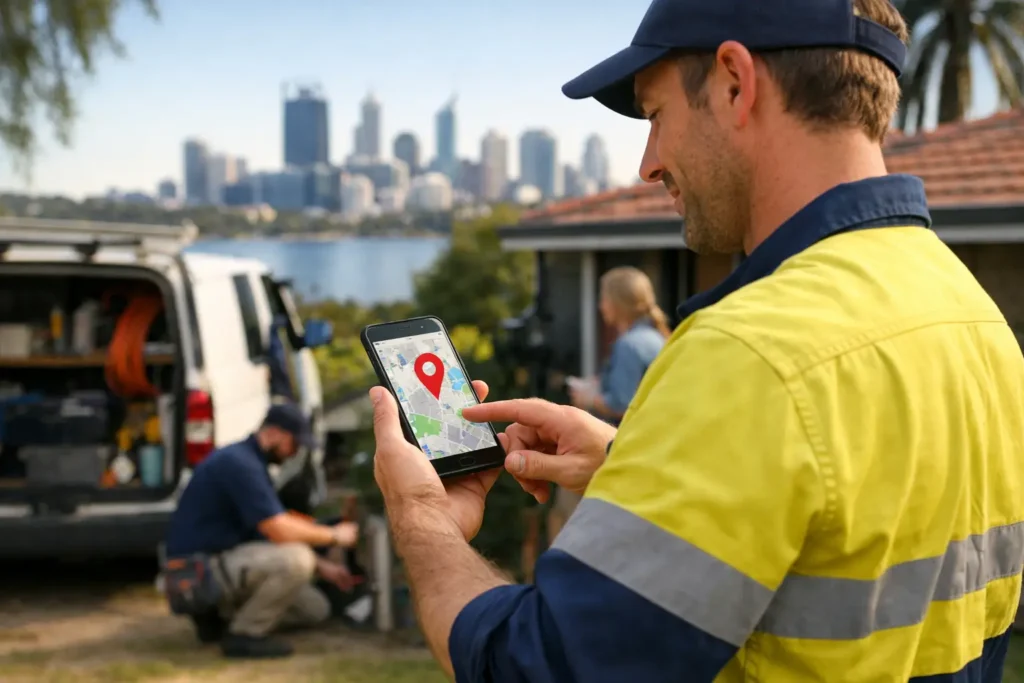
When a homeowner has a burst pipe, a failed switchboard or a blocked drain, they are not spending an hour researching. They open Google, search for a local tradie, and usually call one of the first businesses they see. These Google Maps visibility tips are about putting your business in that short list when local customers are ready to book.
For a Perth tradie, Google Maps is not just another marketing channel. It is often where the next job comes from. Your Google Business Profile can show your phone number, reviews, service area, photos, opening hours and directions before a customer ever visits your website. Get the basics right and it can produce steady enquiries. Leave it incomplete or neglected and competitors with fewer years on the tools can take the calls.
Start with a Google Business Profile that is actually complete
Google needs clear information before it can confidently show your business for relevant local searches. That means your profile cannot be a name, a phone number and one blurry ute photo from 2018.
Make sure your business name matches the name you use in the real world. Do not cram suburbs or services into the name to try to force a ranking boost. It may look tempting, but it can lead to profile problems and makes the business look less trustworthy to customers.
Choose the most accurate primary category for what you do. A plumber should be listed as a plumber, not a general contractor just because it sounds broader. Your primary category tells Google what searches matter most. Add relevant secondary categories only where they genuinely match services you provide. An electrician who also installs air conditioning can include that service, but should not add categories for work they subcontract or rarely take on.
Fill in every practical field: phone number, website, business hours, service areas, appointment options and a clear business description. Use the description to explain what jobs you handle and where you work in plain language. A customer should be able to tell within seconds whether you are the right person for the job.
If you work from home or travel to customers, set up the profile as a service-area business and hide your home address. List the areas you genuinely service, such as Perth Hills, Midland, Mundaring or nearby suburbs. Do not draw a huge service area across all of WA if you are not taking jobs there. Relevance matters more than trying to look bigger.
Google Maps visibility tips that bring more calls
The businesses that show up consistently on Maps tend to send Google the same signals over time: they are active, legitimate, well regarded and relevant to the search. There is no switch to flick, but a few regular actions make a real difference.
Build reviews into every completed job
Reviews are one of the strongest trust signals on your profile. They also affect whether a customer chooses to call once they find you. A profile with recent, detailed five-star reviews will usually beat a profile with no reviews, even if both businesses appear in the same map results.
Ask for a review after a job is finished and the customer is happy. The best time is often just after you have fixed the problem, cleaned up and explained the work. Keep it easy. Send a simple message thanking them for choosing you and asking if they can leave honest feedback about the job.
Do not buy reviews, offer discounts in exchange for five stars, or ask mates to post reviews for work you did not do. Google can spot suspicious patterns, and customers can too. A smaller number of genuine reviews from local homeowners is far more valuable than a pile of vague, questionable ones.
Reply to every review, including the awkward ones. Thank happy customers by name where appropriate and mention the service naturally. For example, a reply might refer to a hot water repair in Kalamunda or a garden clean-up in Midland. For negative feedback, stay calm, acknowledge the concern and offer to sort it out offline. A professional response shows future customers that you answer the phone and fix problems fast.
Add photos that prove you do the work
Photos help customers make a quick decision, particularly for builders, landscapers, painters and renovation trades. They also show Google that the profile is being looked after.
Use real photos from real jobs, with customer privacy in mind. Before-and-after shots work well, as do clean finished installations, team photos, branded vehicles and clear shots of the people customers will deal with. A photo of a new switchboard, a tidy bathroom fit-out or a completed paving job says much more than generic stock imagery.
Upload photos regularly rather than adding 50 once and forgetting the profile for a year. You do not need a professional photographer for every job. A clear mobile photo in good light is enough, as long as it shows the quality of your work. Avoid dark, cluttered images or pictures that make it hard to tell what has been done.
Keep services and business hours accurate
Customers searching Google Maps often want an immediate answer. If your profile says you are open but nobody answers, that call may go straight to the next business. Set your normal hours accurately and add special hours for public holidays, Christmas breaks or periods when you are unavailable.
List the core services you want enquiries for. Be specific enough to match real searches, such as blocked drains, hot water systems, switchboard upgrades, retaining walls, lawn reticulation repairs or house painting. Do not turn the section into a long wish list. Focus on profitable work you want more of and can service reliably.
If you offer emergency call-outs, only say so if you genuinely take those calls. It is better to be known as dependable than to generate enquiries you cannot answer.
Your website still supports your Maps ranking
A Google Business Profile does a lot of the heavy lifting, but your website backs up the information Google sees. When your profile links to a slow, outdated site with vague content, it gives customers less confidence and can limit the leads you get from a Maps listing.
Your website should clearly state what you do, the areas you service and how to contact you. Give each important service enough information to be useful. A page about plumbing should not try to rank for every trade under the sun. A dedicated page for drainage, hot water or bathroom renovations gives Google and customers a clearer picture of your work.
Make it easy to call from a mobile. Most local searches happen on a mobile, often while the customer is standing in their kitchen with water on the floor. Your mobile number should be obvious, clickable and repeated where it makes sense. A fast site, clear service pages and genuine job photos turn visibility into actual enquiries.
Keep your business details consistent everywhere you control. Your business name, phone number and website should match across your Google profile, website and social pages. Small differences can create confusion, especially if an old mobile number or former address is still floating around online.
Do not chase rankings you cannot realistically win
Maps results are local by nature. A business based in the Perth Hills may appear strongly around its home area but lower in suburbs on the other side of Perth. That does not always mean the profile is broken. Distance is one factor Google uses, alongside relevance and prominence.
The practical goal is to be highly visible in the areas you can get to quickly and want more work from. If you are based in Mundaring, focus on building strong signals around Mundaring, Sawyers Valley, Gidgegannup, Midland and the suburbs you already service. As your reviews, website and local reputation grow, visibility can extend further naturally.
Trying to rank everywhere by stuffing dozens of suburb names into your profile rarely works. It can also make your description unreadable. Use locations where they are relevant, such as project photos, review replies and website service pages, but keep the customer experience first.
Check the numbers that matter each month
Do not judge your Google Maps performance purely by where you think you rank when searching your own business name. Search results change based on location, device and search history. Instead, check your profile insights for calls, website visits, direction requests and search terms.
A rise in calls is more useful than being number one for a phrase that does not bring paying work. Track which services generate leads and ask new customers how they found you. This gives you a better idea of what to improve next, whether that is more reviews, stronger service pages or better photos of a key job type.
Google Maps rewards businesses that look active, accurate and trusted. Put a simple routine in place: request reviews after good jobs, upload a few new photos each month, check your hours, and respond to customer feedback. For busy tradies, that steady attention is often what turns an overlooked profile into a reliable source of local work.
If your profile is getting views but not calls, the issue is usually fixable. Clear service information, better proof of your work and a phone number customers can act on straight away can make the difference between being seen and being booked.